The Model Context Protocol (MCP) is an open standard introduced by Anthropic in November 2024 that solves the “universal language problem” in AI-tool integration. Just as USB-C provides a universal connector for devices, MCP provides a standardized way for any AI assistant to connect to external tools and data sources without requiring custom integration code.
Before MCP, every AI framework (LangChain, OpenAI, Google’s dev kit) had its own proprietary way of connecting to external systems. Building an AI agent that could read emails, check calendars, and update databases meant writing separate integration code for each tool, with different authentication methods, error handling, and data formats.
When an AI connects to an MCP server, it automatically discovers available capabilities through standardized methods. This means AI assistants can adapt to new tools without requiring updates or retraining. The protocol supports dynamic tool discovery, real-time notifications, and works across cloud providers, on-premises systems, and hybrid environments.
Read more about the foundations of MCP →
The Itential Model Context Protocol (MCP) server enables AI assistants like Claude to safely orchestrate network automation and infrastructure management across enterprise environments.
The Itential MCP server exposes enterprise-grade infrastructure management capabilities to AI assistants through standardized tools.
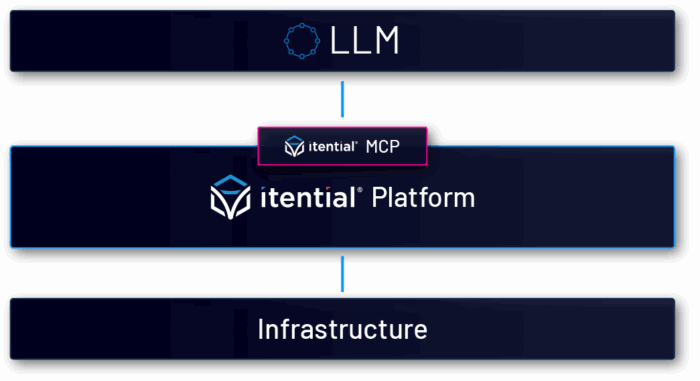
The MCP architecture creates a secure bridge between AI and your infrastructure via the Itential Platform:
When you ask Claude “Show me all devices in the Atlanta datacenter,” the AI:
This means AI makes decisions, Itential provides the execution and MCP provides tool exposure, ensuring enterprise-grade security and compliance at every step.
Prerequisites: Python >=3.10 is the minimal requirement for this installation method.
# Create a virtual environment python -m venv <venv-dir>/itential-mcp-venv # Activate the virtual environment # On macOS/Linux: source <venv-dir>/itential-mcp-venv/bin/activate # On Windows: i tential-mcp-venvScriptsactivate # Install from PyPI python -m pip install itential-mcp # Verify installation itential-mcp version
Note: Remember to activate the virtual environment each time you want to use the itential-mcp command.
source /itential-mcp-venv/bin/activate
For containerized deployments:
# Pull the latest version
docker pull ghcr.io/itential/itential-mcp:v0.x.x
Claude Desktop requires specific configuration to connect to the Itential MCP server using environment variables. Access the configuration through Settings → Developer → Edit Config.
For Virtual Environment Installation:
{
"mcpServers": {
"itential-mcp": {
"command": "<venv-dir>/itential-mcp-venv/bin/itential-mcp",
"args": ["run"],
"env": {
"ITENTIAL_MCP_PLATFORM_HOST": "your-platform.example.com",
"ITENTIAL_MCP_PLATFORM_CLIENT_ID": "your-client-id",
"ITENTIAL_MCP_PLATFORM_CLIENT_SECRET": "your-client-secret",
"ITENTIAL_MCP_LOG_LEVEL": "INFO"
}
}
}
}
If using Docker:
{
"mcpServers": {
"itential-mcp": {
"command": "docker",
"args": [ "run", "-i", "--rm",
"-e", "ITENTIAL_MCP_PLATFORM_HOST=your-platform.example.com",
"-e", "ITENTIAL_MCP_PLATFORM_CLIENT_ID=your-client-id",
"-e", "ITENTIAL_MCP_PLATFORM_CLIENT_SECRET=your-client-secret",
"ghcr.io/itential/itential-mcp:v0.x.x"
]
}
}
}
Note: Basic authentication is also supported using ITENTIAL_MCP_PLATFORM_USER and ITENTIAL_MCP_PLATFORM_PASSWORD instead of the OAuth variables above.
After saving any configuration, restart Claude Desktop to activate the MCP server connection.
After configuration, verify the connection in your AI assistant:
1. Open a new conversation
2. Click the “Search and Tools” icon or type “Show MCP tools”
3. Look for “itential-mcp” in the connected servers list
4. Try a simple query: “Check the Itential platform health”
5. Open the Cline chat (usually in the sidebar)
6. Check the status bar for “MCP: Connected”
7. Type: “@mcp list tools” to see available Itential tools
8. Try: “Using Itential MCP, check the platform health”
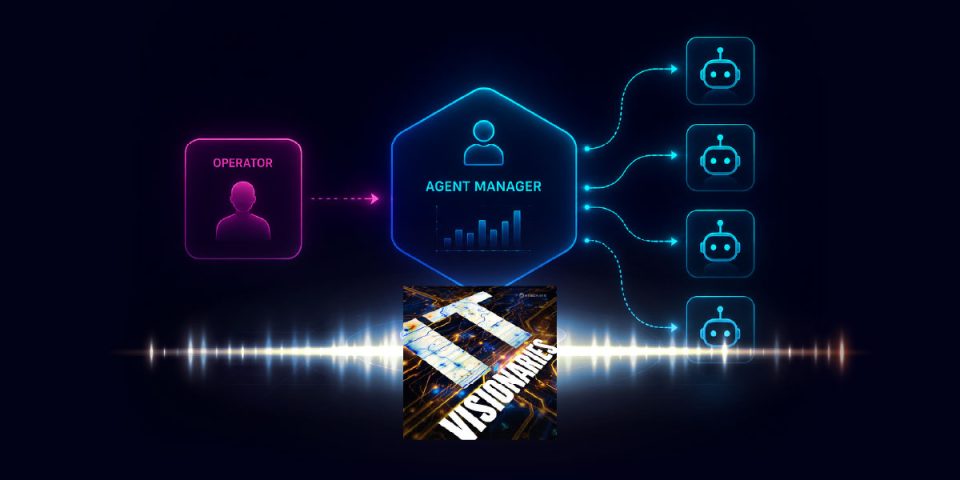
More a visual learner? Check out this video from William Collins showing you how it’s done:
Once connected, try these queries in order to build confidence:
“Check if the Itential platform is healthy”
What happens: Uses get_health tool to verify platform status
Expected response: Platform status, API availability, and component health
“Show me all devices in Itential”
What happens: Queries device inventory with filters
Expected response: Formatted table of devices with management IPs
“What automation workflows are available?”
What happens: Searches workflows by keyword
Expected response: List of workflow names with descriptions
“Get the show version for device switch-01?”
What happens: Retrieves device configuration
Expected response: Show ver with output interpretation
Launch service aws-ec2-list for region us-west-1
What happens: Initiates a service
Expected response: Parse script response and gives information about the output
Launch Port Turn Up Service workflow
What happens: Ask for clarification on input parameters and initiates the workflow
Expected response: Job ID and progress updates
You’ve successfully configured the Itential MCP server to work with your AI assistant, creating a powerful bridge between natural language and enterprise infrastructure management. This setup enables:
The combination of Python virtual environments for isolation, flexible configuration options, and progressive learning examples ensures a smooth journey from setup to production use.
Welcome to the future of infrastructure automation – where AI and enterprise systems work together seamlessly through the Model Context Protocol.
To verify connectivity to the Itential platform:
itential-mcp test-connection
To get detailed logging information:
ITENTIAL_MCP_LOG_LEVEL="DEBUG" itential-mcp run
You can include or exclude specific tool categories:
# Include only specific tool categories ITENTIAL_MCP_INCLUDE_TAGS="devices,workflows" itential-mcp run # Exclude specific tool categories ITENTIAL_MCP_EXCLUDE_TAGS="experimental,destructive" itential-mcp run
For Virtual Environment Installation:
# Activate virtual environment first source /itential-mcp-venv/bin/activate pip install --upgrade itential-mcp
For Docker:
docker pull ghcr.io/itential/itential-mcp:latest
Official documentation: github.com/itential/itential-mcp
Community examples: Check the Issues and Discussions sections
GitHub Issues: github.com/itential/itential-mcp/issues
See how Itential connects AI reasoning to governed execution across your entire infrastructure.